Over six days this week I'm introducing some of the features of our upcoming ExploreShanghai iPhone app! Today, multi-language.
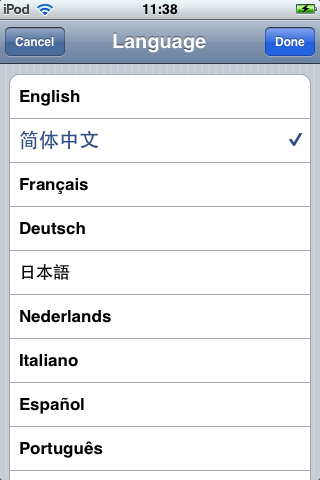
We wanted to make sure that ExploreShanghai worked well in English and Chinese. The language of the map depends on your iPhone/iPod language settings. If you'd prefer to use the map in another language, simply go to the “Settings” app and select English or Chinese.
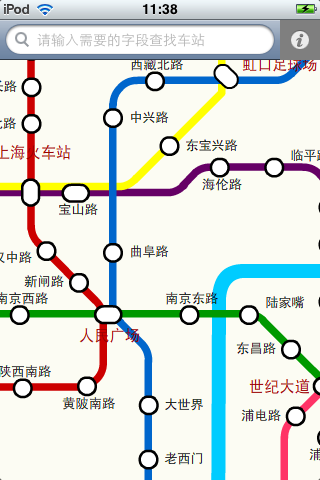
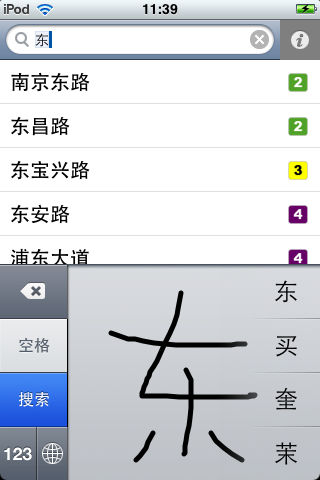
If you select Chinese, you'll see station names, route-planning information and help in Chinese. You can also search for stations, typing in Pinyin or handwriting Hanzi.
Over six days this week I'm introducing some of the features of our upcoming ExploreShanghai iPhone app! Today, search.
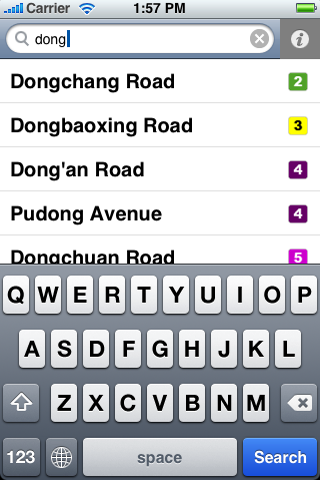
We wanted to make it really simple to find a station on the map. To search the map, simply tap in the search bar at the top of the screen, and type part of the station name. You'll see a list of all matching stations. Tap on any station name and the map will pan so the station is in the center of the screen.
Today our ExploreShanghai iPhone app went live on the iTunes App Store! It's packed with great features:
Fully up-to-date Every station on every line. Fully up to date with the latest extensions like Beijing Subway Line 4 and Shanghai Metro Line 8 extension. Free updates for future lines including the Shanghai Expo 2010 expansions.
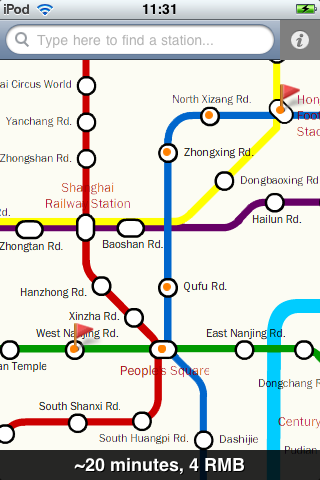
Plan routes Tap on a station to place a flag. Then tap a second station to place a second flag, and get instant time and price details.
Works offline Everything works without an Internet connection. Search stations and plan routes on the go.
Bilingual Everything's available in English and Chinese. Show a station name to a taxi driver or listen to a station pronouciation in Mandarin.
Over six days this week I'm introducing some of the features of our upcoming ExploreShanghai iPhone app! Today, route-planning.
With the help of the ExploreShanghai iPhone app, you can find the quickest and cheapest way to your destination. We gathered our route-planning data by checking timetables, and even visiting every station on the network :)
To plan a route, tap on the first station, and tap the “flag” icon to place a flag. Next, locate the second station (by dragging to pan the map, or searching), and tap the flag icon to place a second flag. The iPhone app will immediately show you the time required, including estimated interchange times, and the cost of a ticket. An animation will show the recommended path to take using orange highlights.
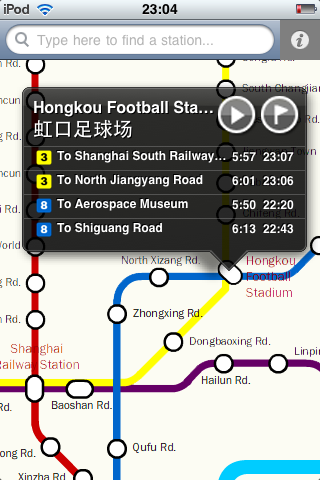
Over six days this week I'm introducing some of the features of our upcoming ExploreShanghai iPhone app! Today, station info. When you tap on a station in the ExploreShanghai iPhone app, you'll see a bubble like this appear.
Its packed with useful information! First, the station name in English and Chinese. You can also see the different metro services at this station, color coded by line. For each line, you can see the first and last train in each direction. For example, at Hongkou Football Stadium, the first train on line 8 is at 5:50 (south towards Aerospace Museum) and 6:13 (north towards Shiguang Road). Now it's simple to make sure you don't miss the last train home!
There are two icons in the top right. The “play” button will play an audio clip of the station name in Mandarin. The “flag” icon will allow you to start planning a route. More on that tomorrow!
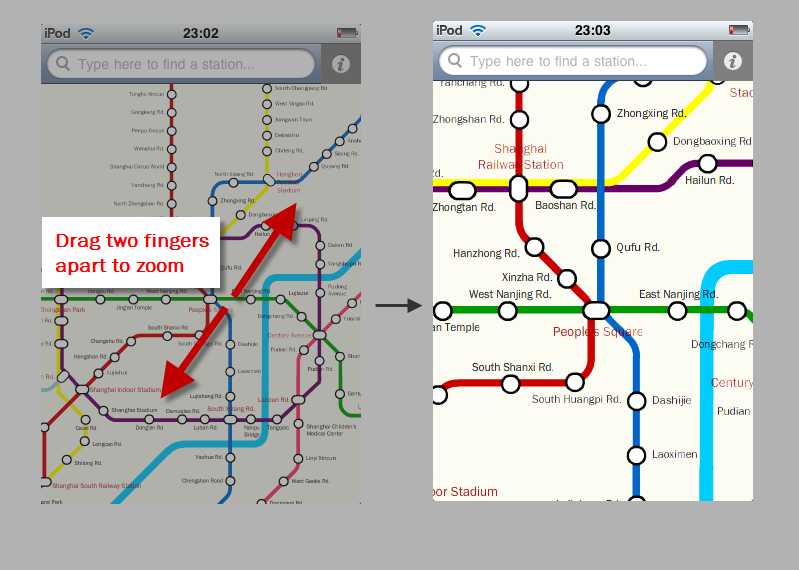
Over the next six days I'll introduce some of the features of our upcoming ExploreShanghai iPhone app! Today: pan and zoom. One of the tricky things about using a map on a small screen like the iPhone is navigating around. This is only going to get harder as more lines are added in Shanghai in the run-up to Expo 2010!
In ExploreShanghai, we solved this by using the iPhone's standard “pinch to zoom” controls. When you launch the app you'll be zoomed out. To zoom in, place two fingers on the screen and spread them apart. The map will zoom in to show you the area around your fingers. You can pan around the map by dragging with a single finger. See the image below to see how it works.
Welcome back from the October break! Community member 'aeiounm' alerted me to updated timetables for Shanghai Metro line 3 and line 4, which came into effect on September 28th.
Thanks to two new trains, the time between services during rush-hour is now only 5 minutes (though you still may have to wait a long time off-peak).
First and last train times have also been changed (for the better, mainly!) Trains on Line 3 now run 30-40 minutes later. The last trains now depart at 22:30 and 22:35, arriving at the termini stations at 23:34 and 23:40. Line 4 has also received some love. The last trains now run about 15 minutes later, with the last Line 4 trains reaching Yishan Road at 23:30.
Which Shanghai metro line will be the first to run past midnight?
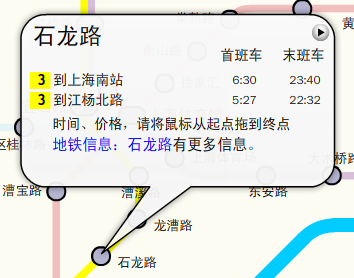
To see first/last train times for any station, just click on the station circle on the interactive map to get a bubble like this (in English or Chinese):
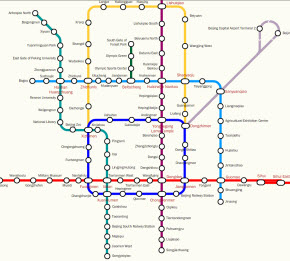
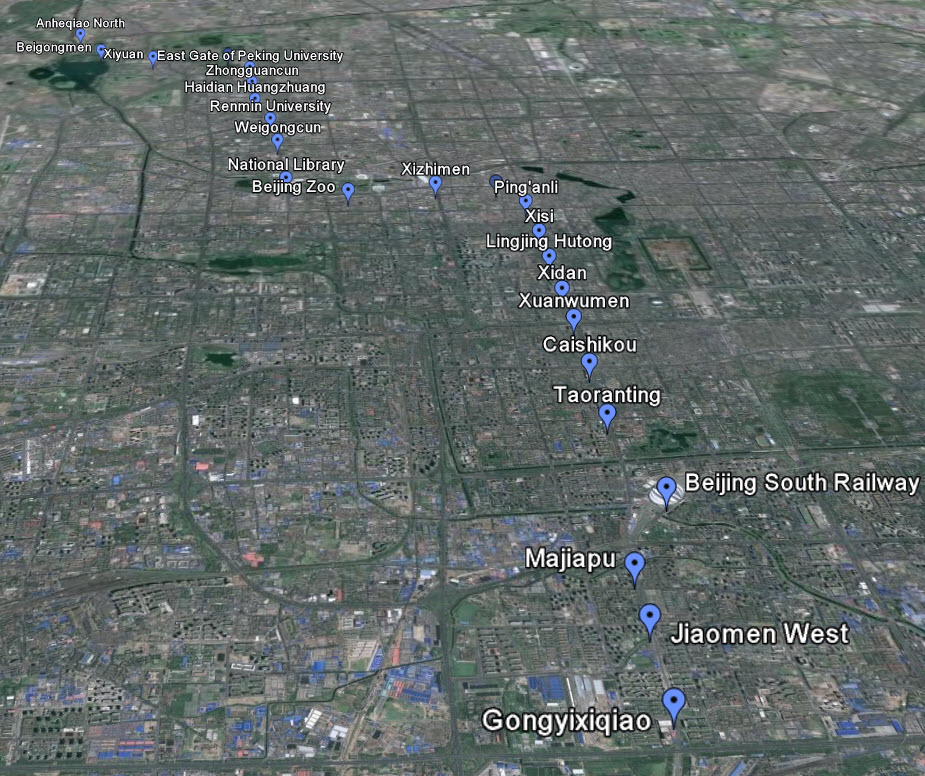
Beijing Subway Line 4 will open on September 25, according to reports! Line 4 is run by Hong Kong's MTR Corporation, but is fully integrated with the rest of the network (including the standard 2 RMB fare). We've just pushed out an update to our ExploreBeijing site with the new line. All the standard ExploreMetro features are there, including:
We've just pushed out a change to all our maps (Shanghai, Beijing, Guangzhou and Hong Kong) which dramatically increases speed and responsiveness! You should now find dragging the map around and planning routes faster than ever before.
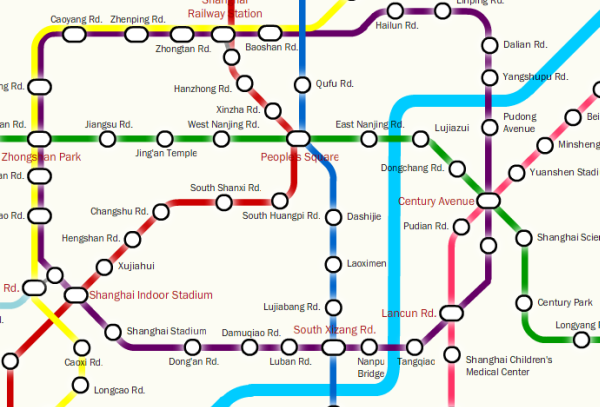
Sometimes when you're riding the Shanghai Metro it can be hard to know where in the city you are. By popular demand we've added the Huangpu River as a blue line on our interactive Shanghai metro map. Now you'll never be confused whether you're in Puxi or Pudong.
Like many improvements to our maps, this idea came from your feedback! If you have any more suggestions for our maps, leave a comment or contact us.


 Like many improvements to our maps, this idea came from your feedback! If you have any more suggestions for our maps, leave a comment or